
Build a Link in Bio with Framer Agent: Process and Free Template
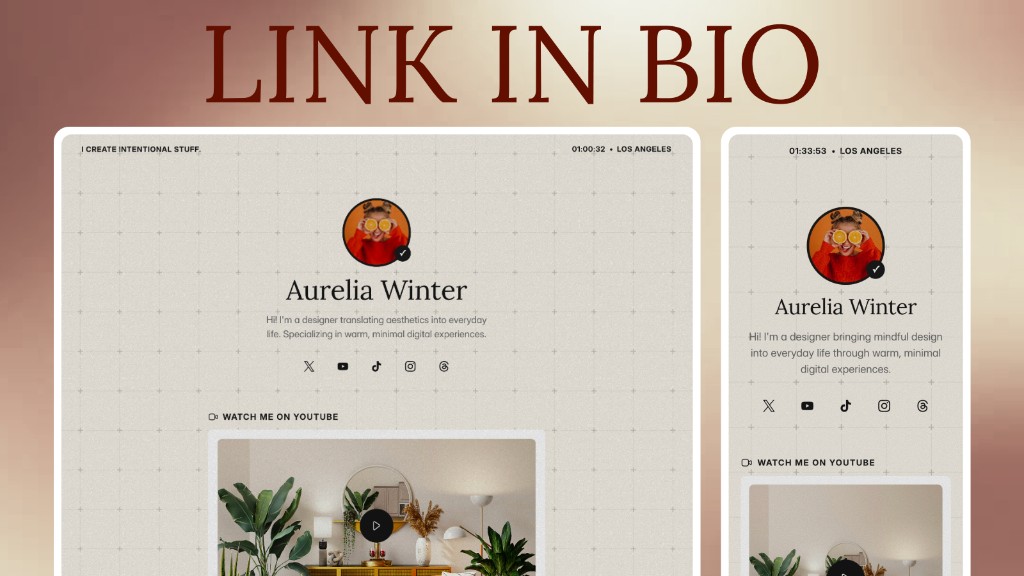
I wanted one page for my work, social links, and contact details, with a look that felt like my own. Changing an avatar and a few button colors wasn't quite enough for the page I had in mind.
For this version, I tried Framer Agent. I started with a short description of the style, then added reference images and adjusted the typography, colors, and layout. This article records that process, and the finished template is free to copy and use.
Preview the finished link-in-bio page.
Why I Used Framer Agent for This Page
Framer Agent let me generate a layout and keep working on it in the canvas. I could ask for a larger change, then adjust a layer, type size, or gap myself.
That suited the way I wanted to work on this page. Once the overall direction was close, I could spend time on individual details without describing every small adjustment in another prompt.
Open Agent and describe the mood in one sentence
In the version I used, the right-hand panel had Agent and Style tabs. I opened Agent Chat and described the look I wanted before planning the full page structure.
My first prompt was simple:
I want to make a link-in-bio site with a slightly vintage, old-school look, plus a subtle worn texture.
The first pass already surprised me: letter paper, an AIR MAIL stamp in the corner, button borders with a hand-drawn wobble.
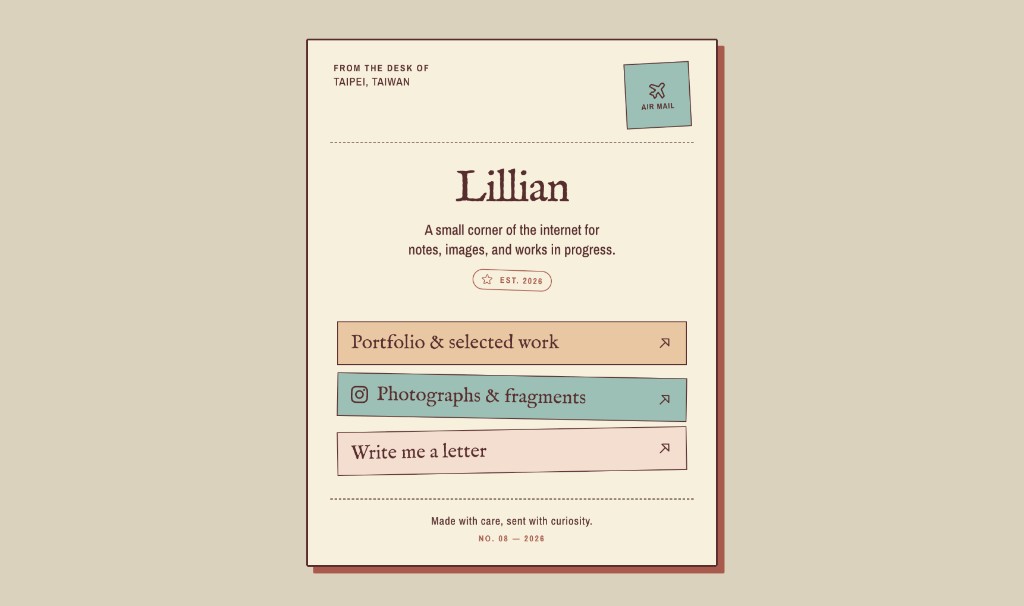
The first draft used a stationery theme, with a stamp and hand-drawn borders. It was still different from the page I had pictured.
The prompt gave it a vintage direction, but there were plenty of ways to interpret that. I added reference images to make the next attempt more specific.
Add a few reference images
Round two: I found a few images I liked, dropped them in, and asked it to run again in that direction.
The headline type was what caught my attention. It had uneven ink and slightly worn edges, closer to the printed texture I wanted. Those details made the second version feel more like an old newspaper.
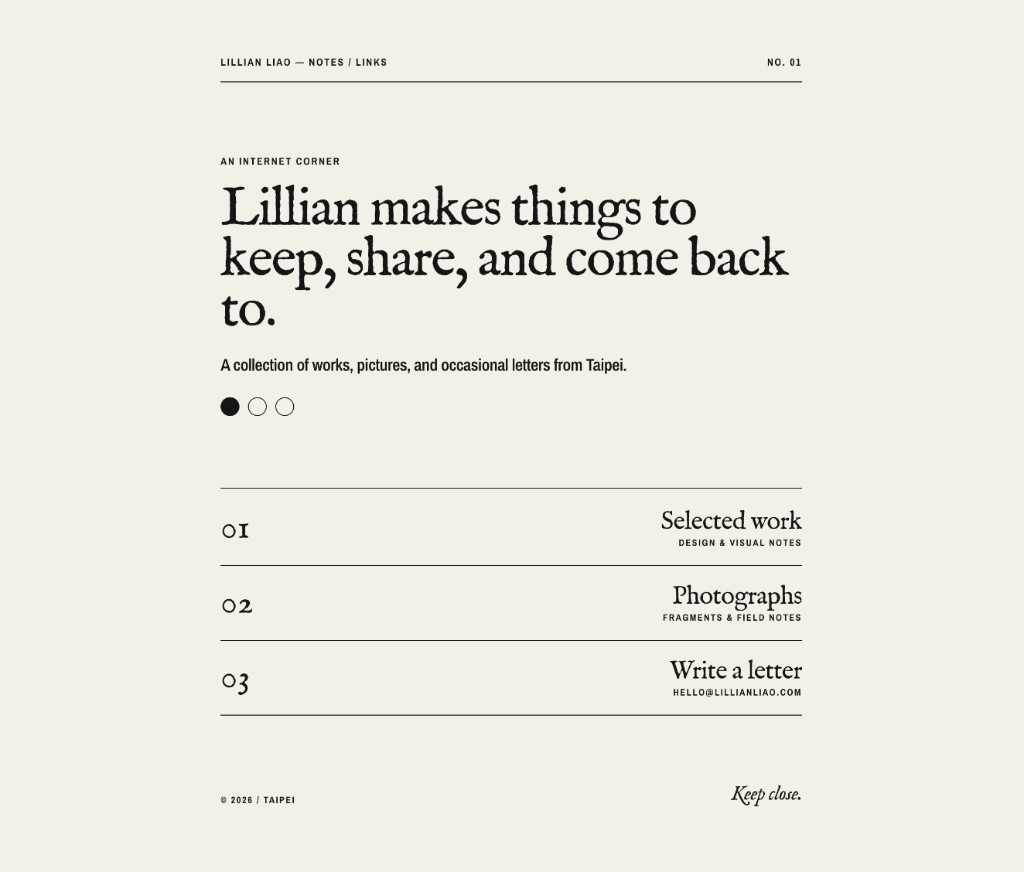
Second pass after adding a reference. Stationery became newsprint, with headline type that looks a little worn. Closer to what I wanted.
The first draft used stamps, colored buttons, and sketched borders. The second used a single color, thin dividing lines, and different type sizes to organize the page. Adding references helped move the design toward the newspaper style I wanted.
Turn repeating pieces into components
Once the style settled, Framer asked whether to gather type and color into a system, and whether repeating blocks (buttons, link lists) should become a component.
I found this useful for the repeated buttons and link lists. Shared styles and components meant I could make a change in one place, then check it across the page.
Structure first, then content
With the look mostly settled, I described the sections I needed: a portrait, a short introduction, media links, and a footer. I asked it to continue with the style we had already developed, then reviewed each new section.
The default model
For this project, I used the model shown as GPT 5.6 in the Framer Agent panel, listed as GPT 5.6 Terra in the menu. That was the default in my session, as shown below.
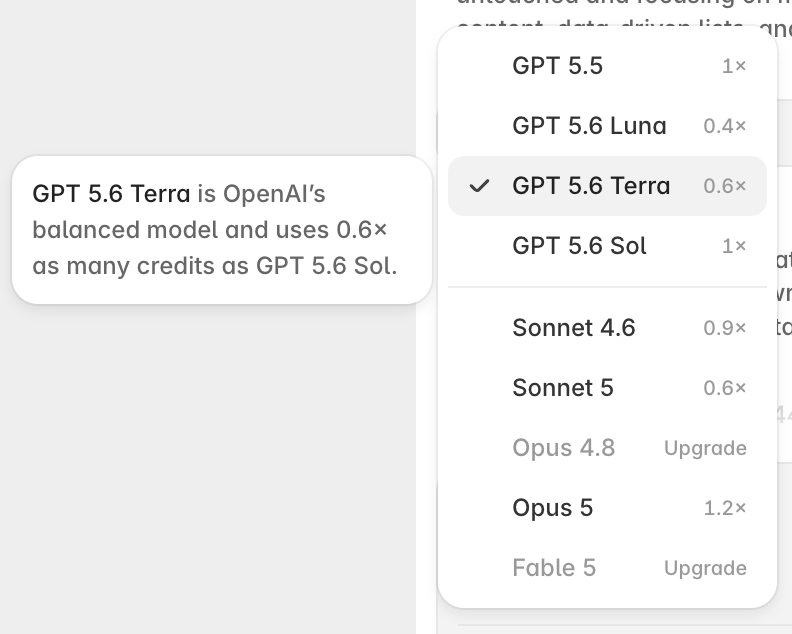
I didn't switch to a more expensive model. Every screen in this note came from the default.
Three ways to get finer results
A few things I noticed in practice:
- Section by sectionOn this page, smaller requests gave me more control over the details. I worked on one section, header, or banner at a time, reviewed it, and then moved on.
- Drop photos into the chatI added photos directly to the chat and described where I wanted them placed, or which existing image they should replace.
- Let the Agent edit the imageFor edits such as making a photo black and white or adjusting brightness and contrast, I could ask the Agent to use the image tools inside Framer.
The finished site
Once the style and structure were in place, I spent the remaining time refining individual sections. I chose a block, described the change, and checked the result before continuing.
The final version uses a beige interactive grid, social icons, a YouTube block, featured products, a desk setup, Tech Stack, an Instagram gallery, and a subscribe flow. You're welcome to browse the live site. I've also left it open to remix for free.
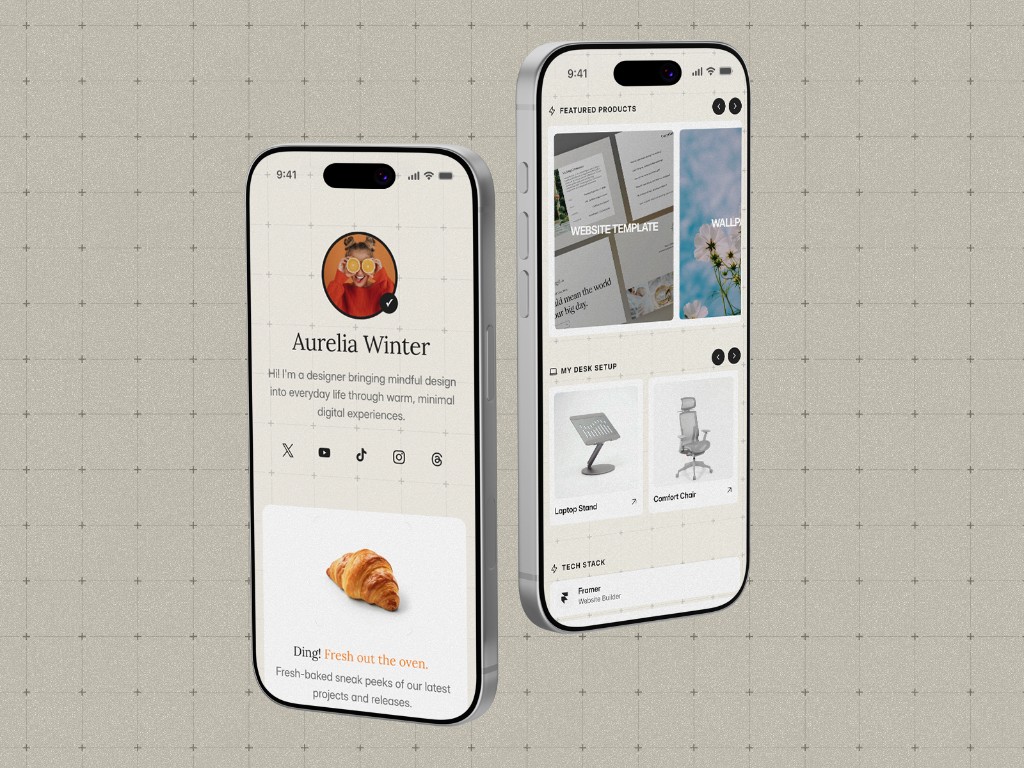
Beige interactive grid, social icons, YouTube, featured products, desk setup, Tech Stack, Instagram, and subscribe. The live site has the full page.
To try a page of your own, start with a short style description and a few reference images. Framer currently provides a one-time allowance of 500 AI credits on the free plan; usage depends on your requests and model. See the official AI credit guide for the details.
Further reading
Related Posts
Framer Portfolio Tutorial: From Figma Design to Published Site
Framer Review: Features, Pros and Cons, and Who It's For
Framer 3.0: The AI Agent Understands Design Better Than I Expected
5 Free Framer Portfolio Templates to Boost Your Interview Odds
Framer Template Guide: The Simplest No-Code Way to Launch a Site